
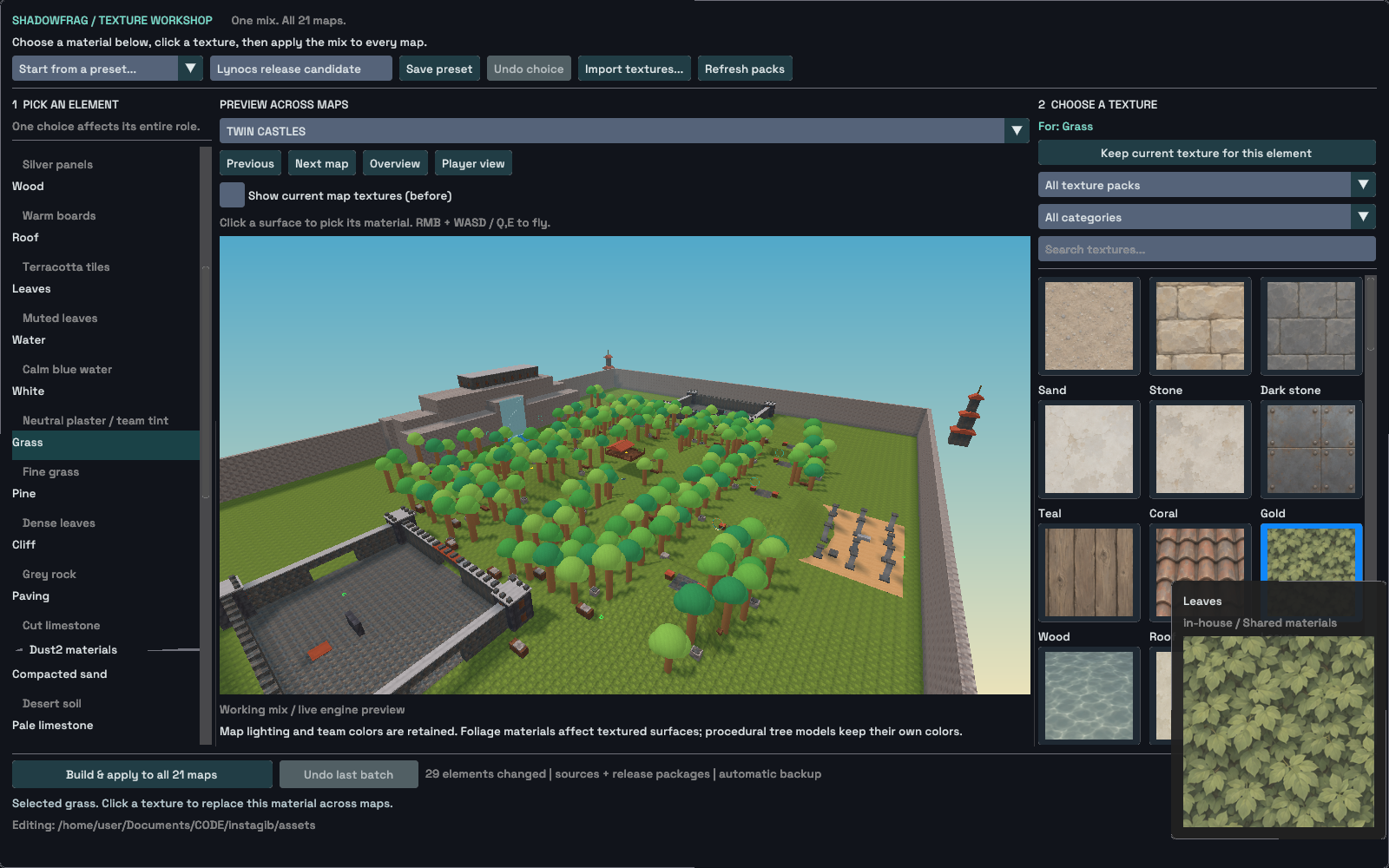
A texture that looks good as a small swatch can become distracting when it repeats across an arena. Changing a shared material can also affect several maps at once. I wanted to see those consequences before touching the installed versions.
Texture Workshop lets me assign textures by their role—stone, timber, roof or ground—then switch maps and inspect the result from above or at player height. It has a live preview, a before view and saved presets for combinations worth returning to. The original and Lynocs-selection captures show choices on different maps. They are examples of the workshop in use, not a matched before-and-after comparison or proof that one preset became every map's final appearance.
From a preview to an installed change
Choosing a swatch changes only the preview. I can undo an individual choice or remove an override to keep the texture the map already uses. Saving the combination as a preset makes it available again without applying it to installed maps.
Applying a change across the catalogue needs more preparation. I stage the complete set first: editable sources, texture atlases that collect images into sheets, runtime map packages and the catalogue's content fingerprints all have to agree. A compile failure or cancellation during staging leaves the installed catalogue untouched. If reading or writing files fails during publication, completed replacements are rolled back.
Undo also checks whether files have changed since the batch. If they have, it refuses to overwrite them. Reverting a texture choice should not erase map work done afterward. The retained native workflow check exercises the whole sequence: choosing and saving, undoing a choice, comparing views, switching maps, applying the batch and undoing it.
What arrives in the player's map
The selected textures are embedded in the finished map package. The authoring library stays in the editor, so a player does not need that library to load the result. This work does not add a player-facing texture-pack setting or another material-rendering pass while the game runs.
The replacements follow the map's named material roles and preserve its geometry and collision. Lighting, baked shading, texture-placement coordinates known as UVs, and team tints remain part of the authored map. That lets me evaluate the new surface while the route and its physical boundaries stay the same.
The preview is only part of what makes the workshop useful. A staged apply and a guarded undo let me compare a catalogue-wide change, commit it, and reverse it when the files are still the ones I changed. That is the practical foundation for trying different materials without making every experiment a manual recovery job.
Two views of the texture workshop
These retained captures show the original and imported texture libraries on different maps. They document the workshop controls and libraries; they are not a matched map transformation.
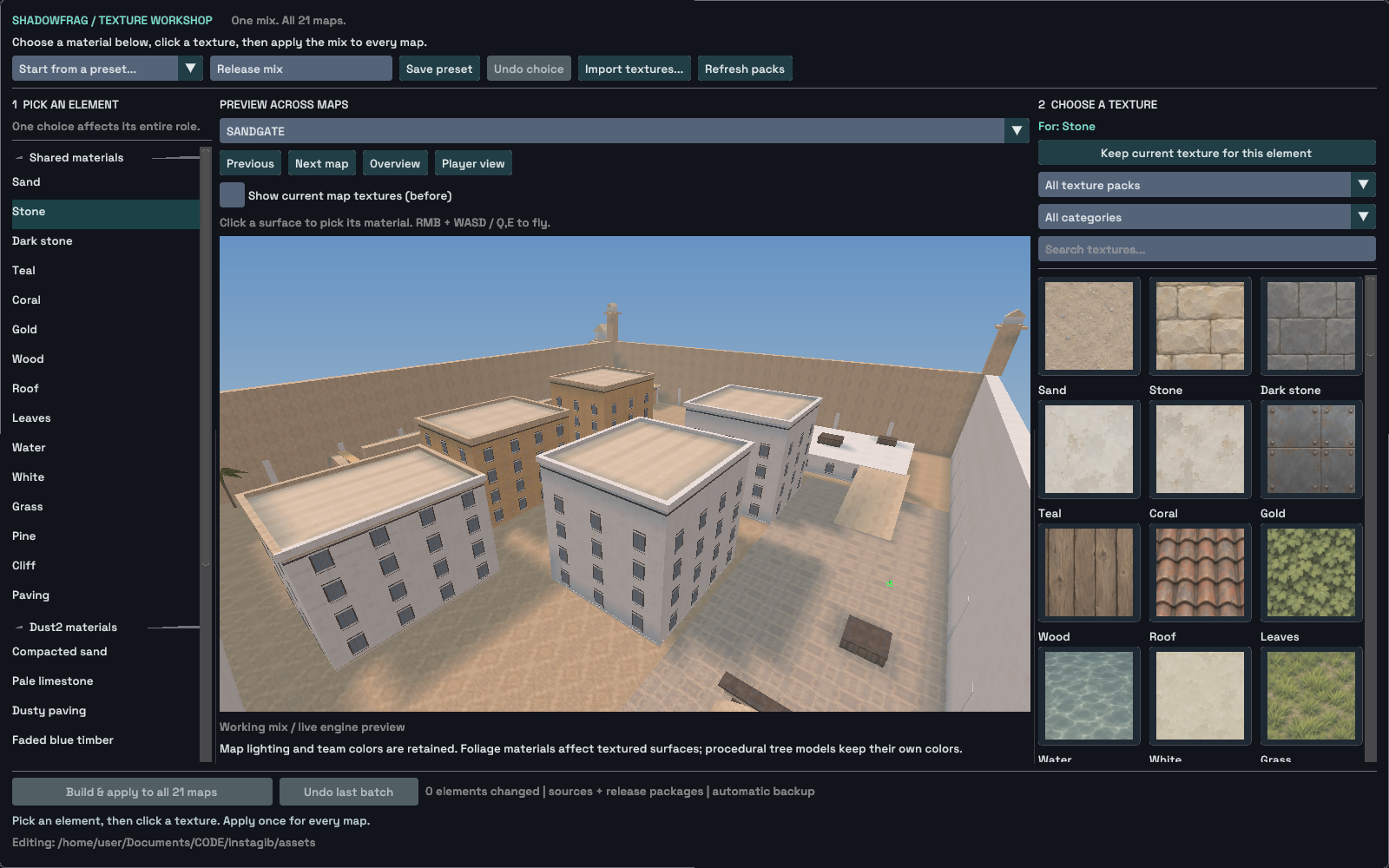
The original library is shown with a desert-city map in the preview.
Original PNG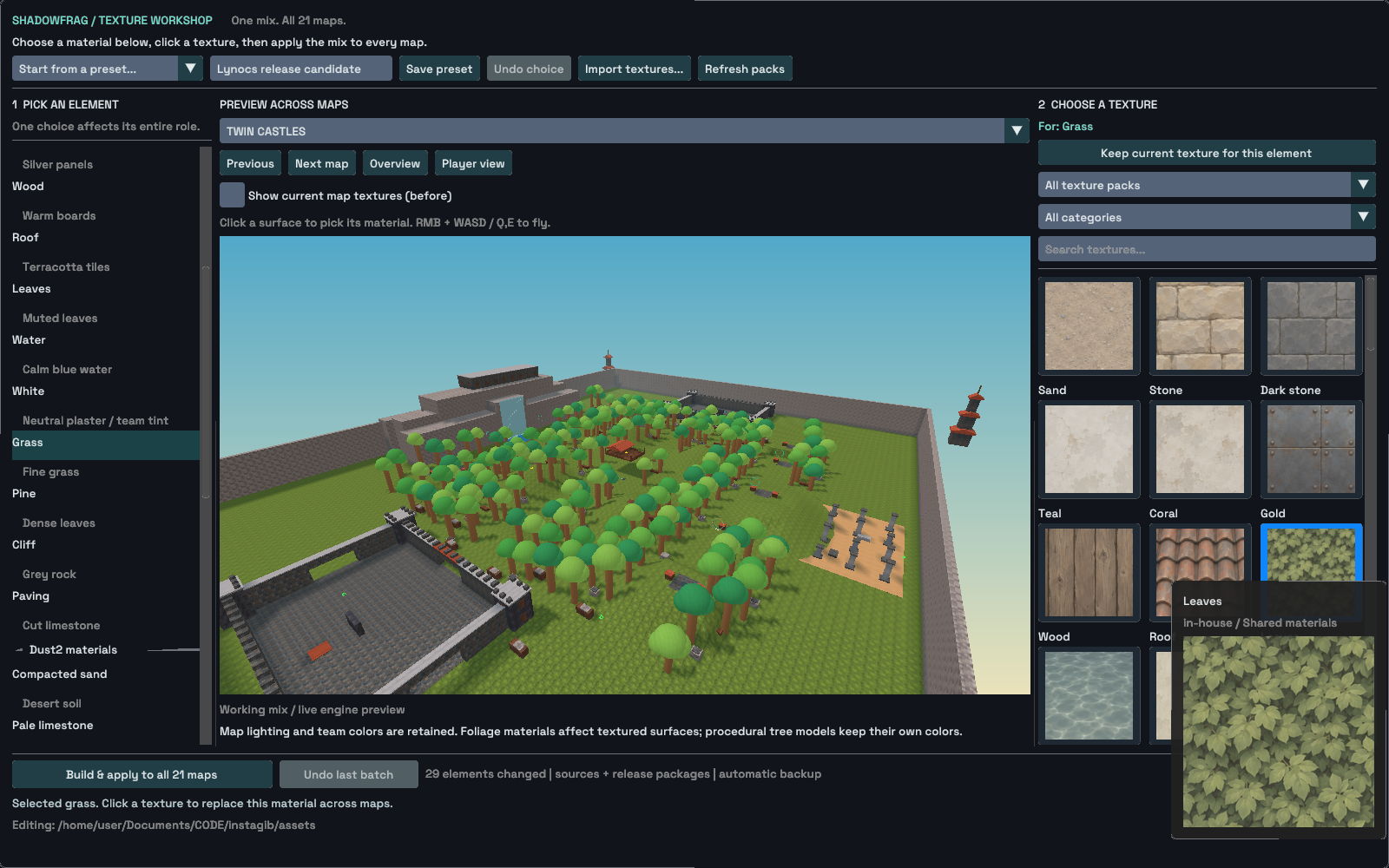
The imported Lynocs library is shown with a different forest-arena map.
Original PNGStill-image archive dates come from retained image file timestamps in Los Angeles time. An earlier-dated article may include later builds; each image is dated separately. Images are genuine engine or native-editor output. Download sources, transforms and SHA-256 hashes.