
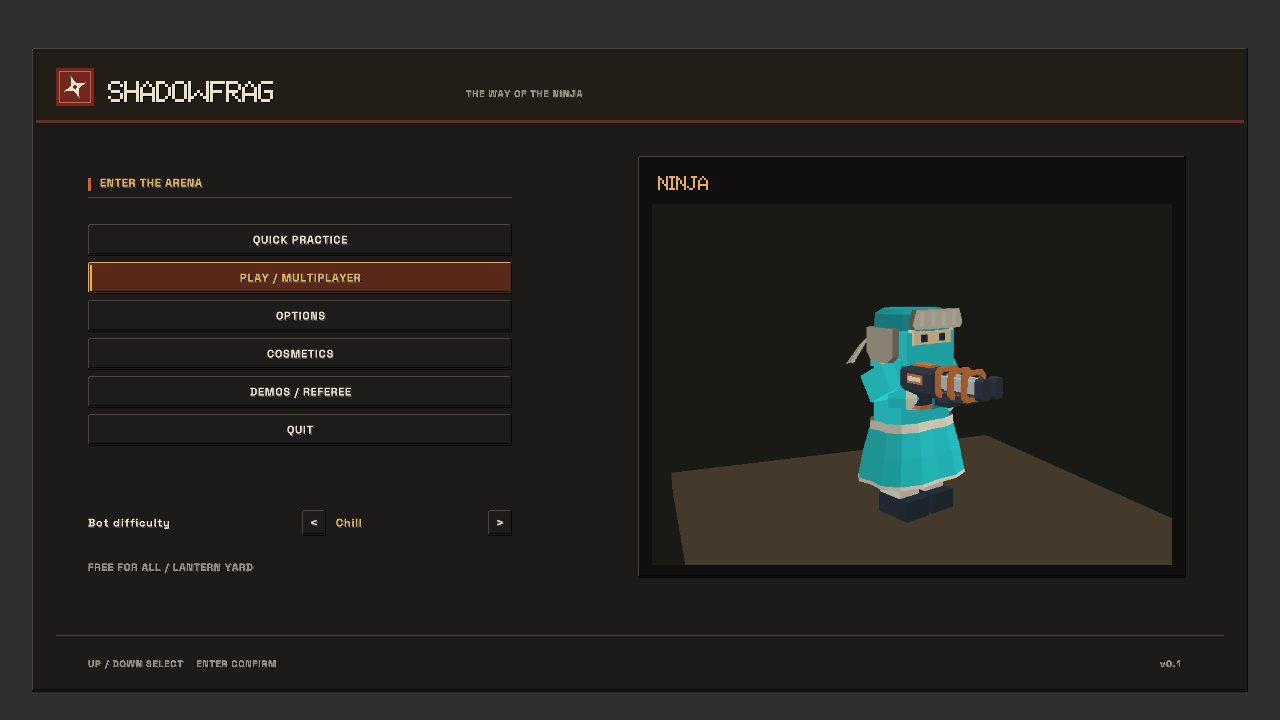
The early turquoise menu belonged to a smaller game. By the time it also needed to handle weapon settings, movement controls, cosmetics, recording and match planning, changing its colors was only part of the job. Players needed to find a setting and understand what it would change.
I kept the main destinations down the left side and marked the selected section in amber. Charcoal, cream and coral brought the interface closer to the rest of SHADOWFRAG's visual design. The native before-and-after captures show that change; the October 22 quality pass checked how the expanded menu behaved.
Putting choices beside their previews
Cosmetics needed their own organization. Ninja, Weapons, Insignia, Trails, Kills and Auras became separate destinations within the page. Appearance and head/body choices live under Ninja, so they do not have to compete for space with every weapon model and effect.
The rendered preview sits beside the controls. Rear, body and face views let a player inspect a headband, hat or accessory from a useful angle. The footer also explains two different steps: appearance takes effect next round, and it must be saved to keep it. Seeing a new look in the preview should not imply that it has already changed the current round.
Crosshair settings pair precise controls with a large preview. Shape, size, gap, thickness, rotation and opacity each have a place. For rotation, a player can type an exact angle while the slider offers presets. A fractional value entered deliberately needs to survive both editing and saving, even if it falls between the slider's preferred steps.
Checking input as well as layout
The retained native menu test passed across 531 frames, covering navigation, layout boundaries and overlaps, precise input, cosmetics and previews at three resolutions. Those 531 frames describe the captured test sequence, not 531 separate users or usability sessions.
Separate checks exercised audio choices and preview buttons, keyboard and number-pad entry, Save, and numeric editing in the match planner, including its 64-player ceiling. A setting that looks correct but saves a different value would still be a broken control.
These checks establish behavior in the tested sequence. They do not replace watching someone learn the menu. What I wanted from the layout was straightforward: make it clear where a choice belongs, let the player inspect it, and explain when it will take effect. That leaves setup time for choosing a comfortable aim and a recognizable ninja.
From a prototype menu to a place to play
Retained engine screenshots show the change in hierarchy, identity and player preview. The archive dates below come from the retained image files.
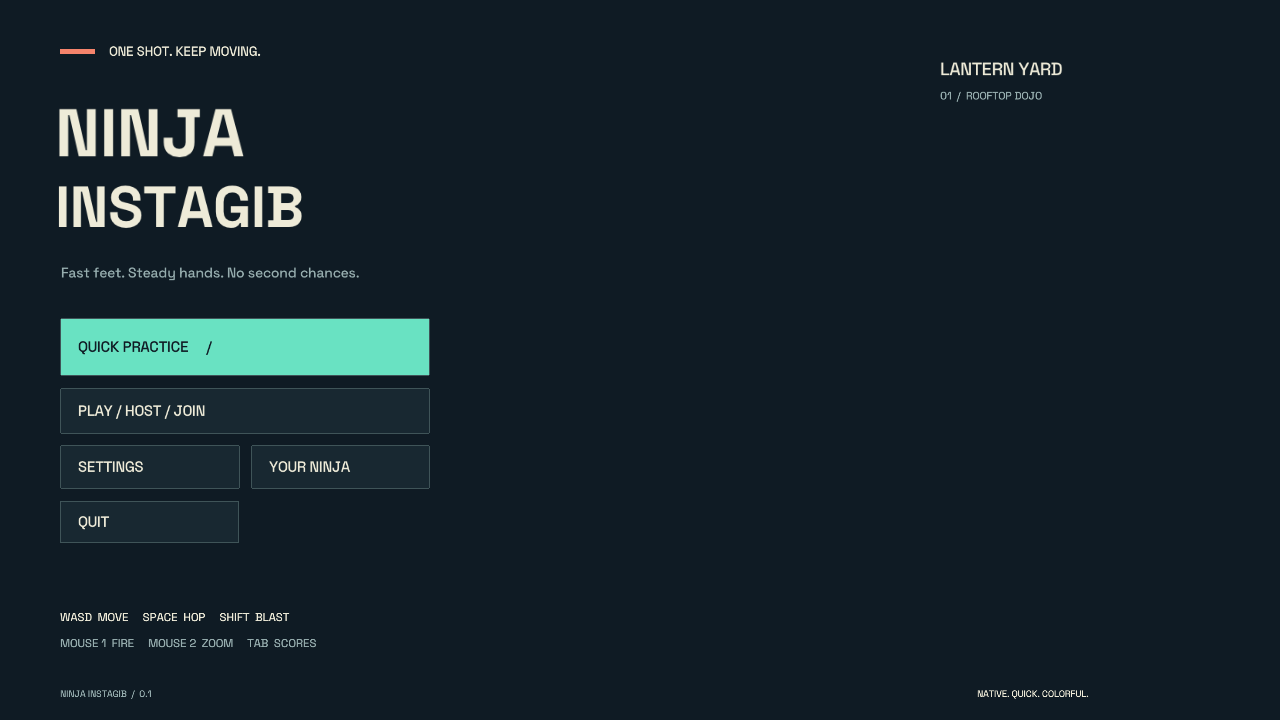
The prototype puts practice, hosting and settings in a compact left column.
Original PNG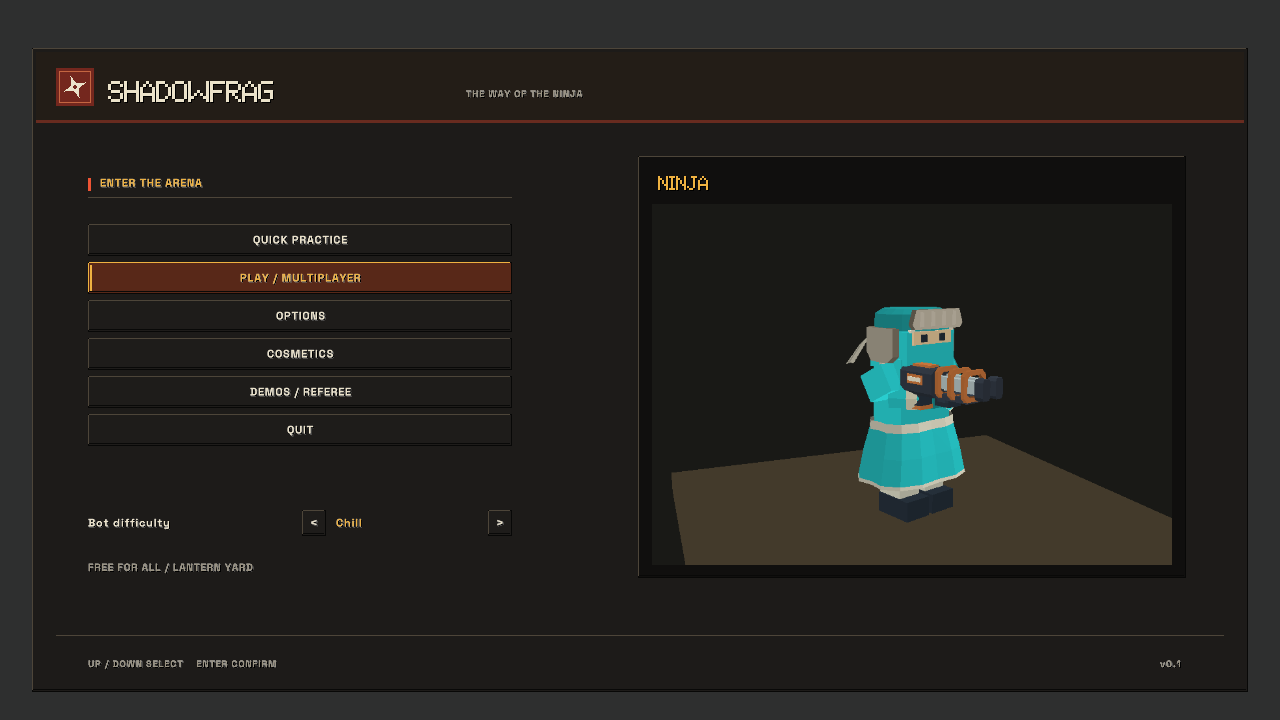
The later interface adds a persistent navigation rail and a dedicated preview of your ninja.
Original PNGThe same settings, a clearer home
The crosshair editor makes a useful comparison: the preview and color choices remain visible while navigation and control groups become more consistent.
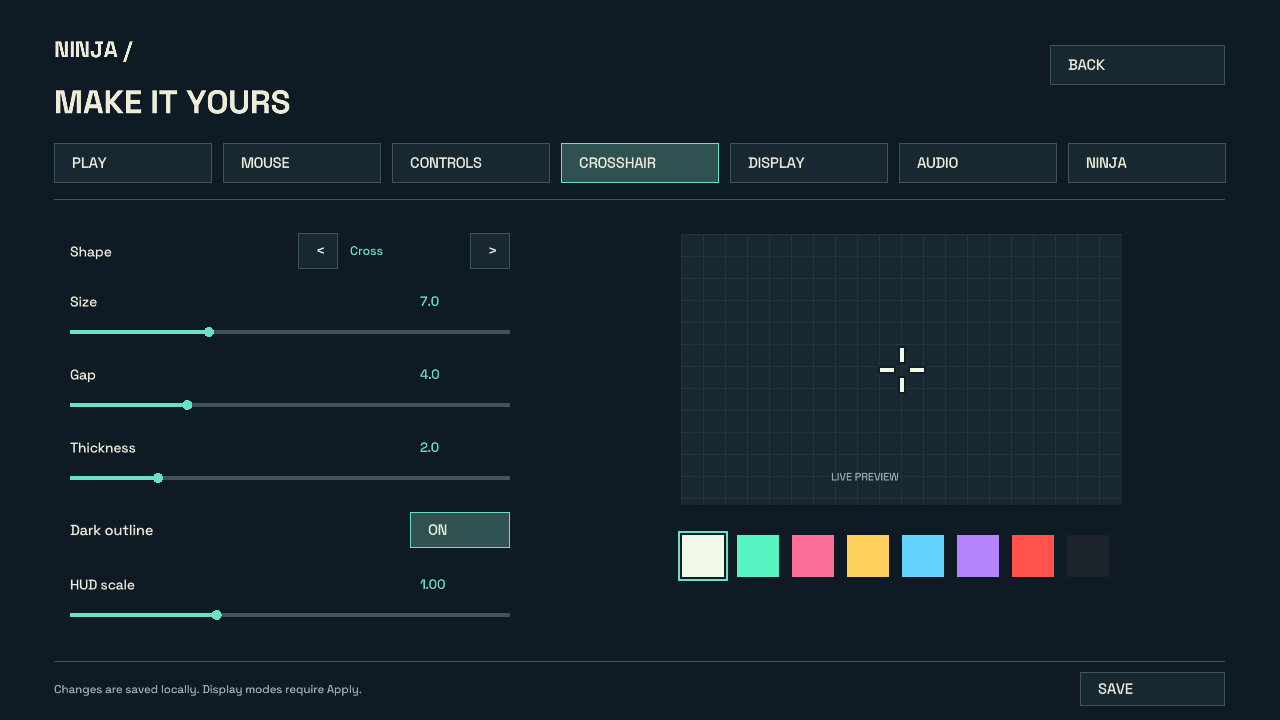
A horizontal tab strip sits above the original crosshair controls.
Original PNG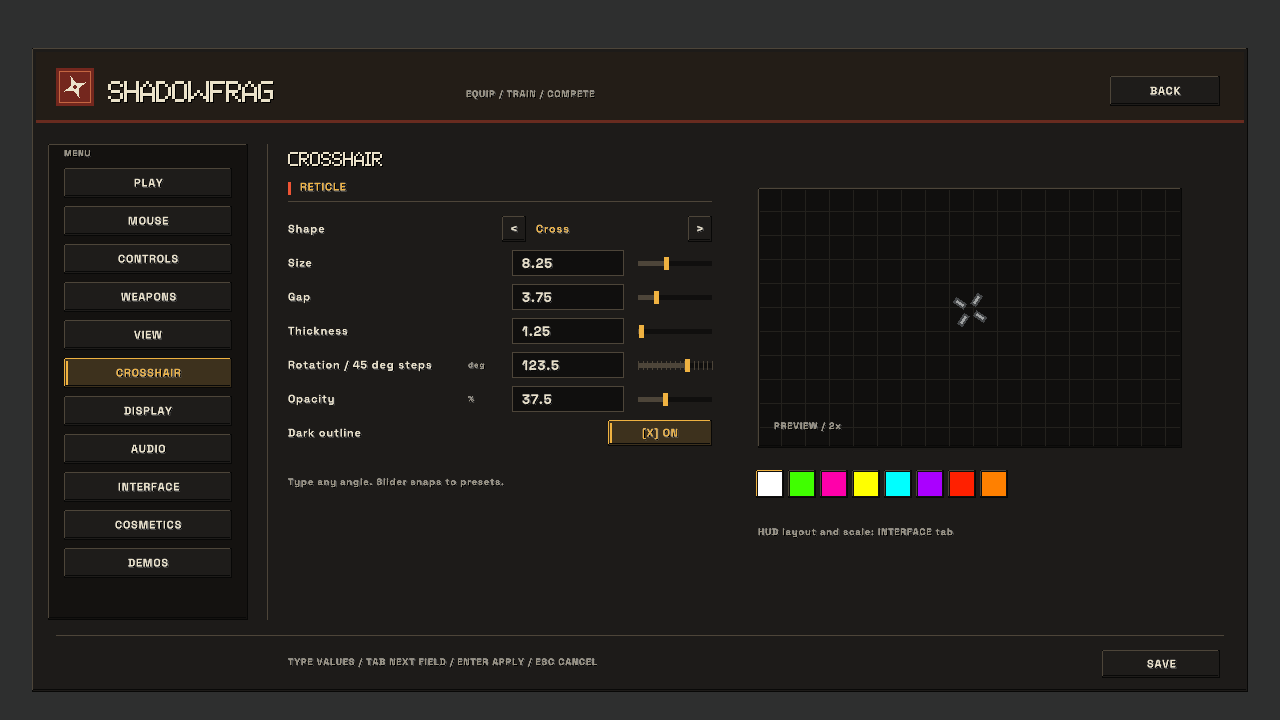
The crosshair preview stays beside the controls inside the newer settings layout.
Original PNGGive the choices room to breathe
Later settings captures show two parts of the interface doing different jobs: choosing an appearance and placing match information on screen.
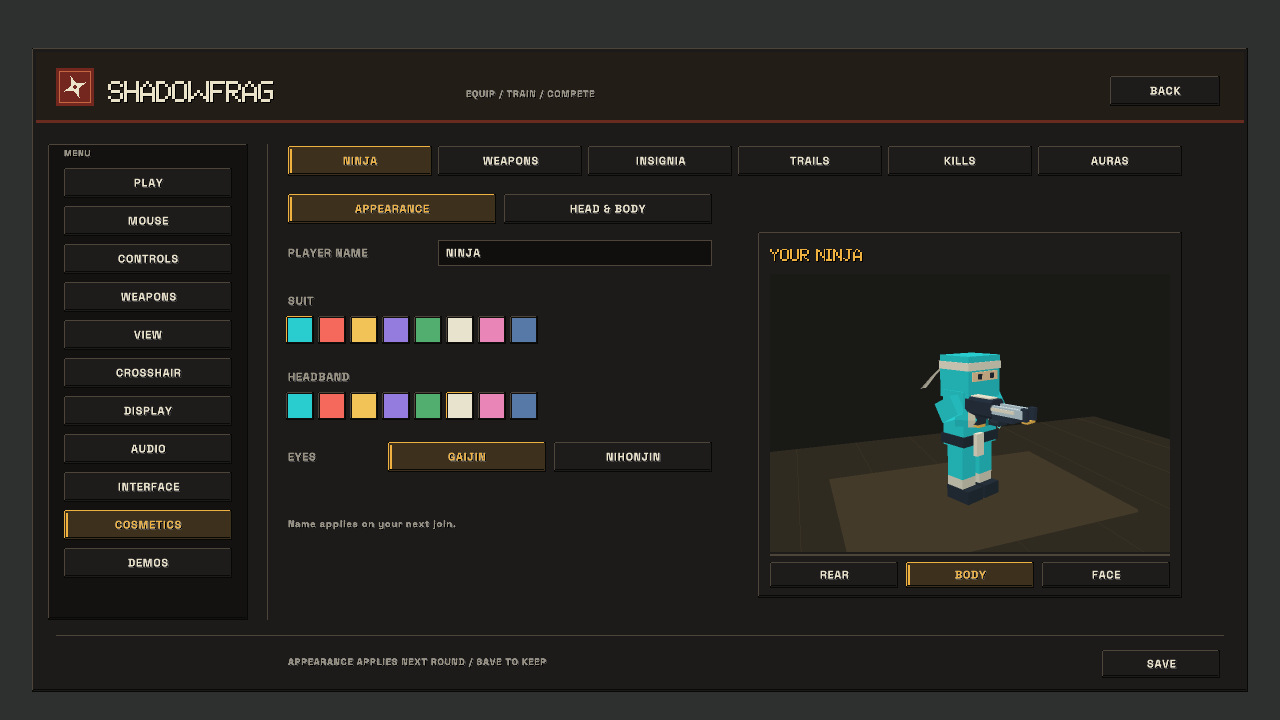
Color choices sit beside a live character preview.
Original PNG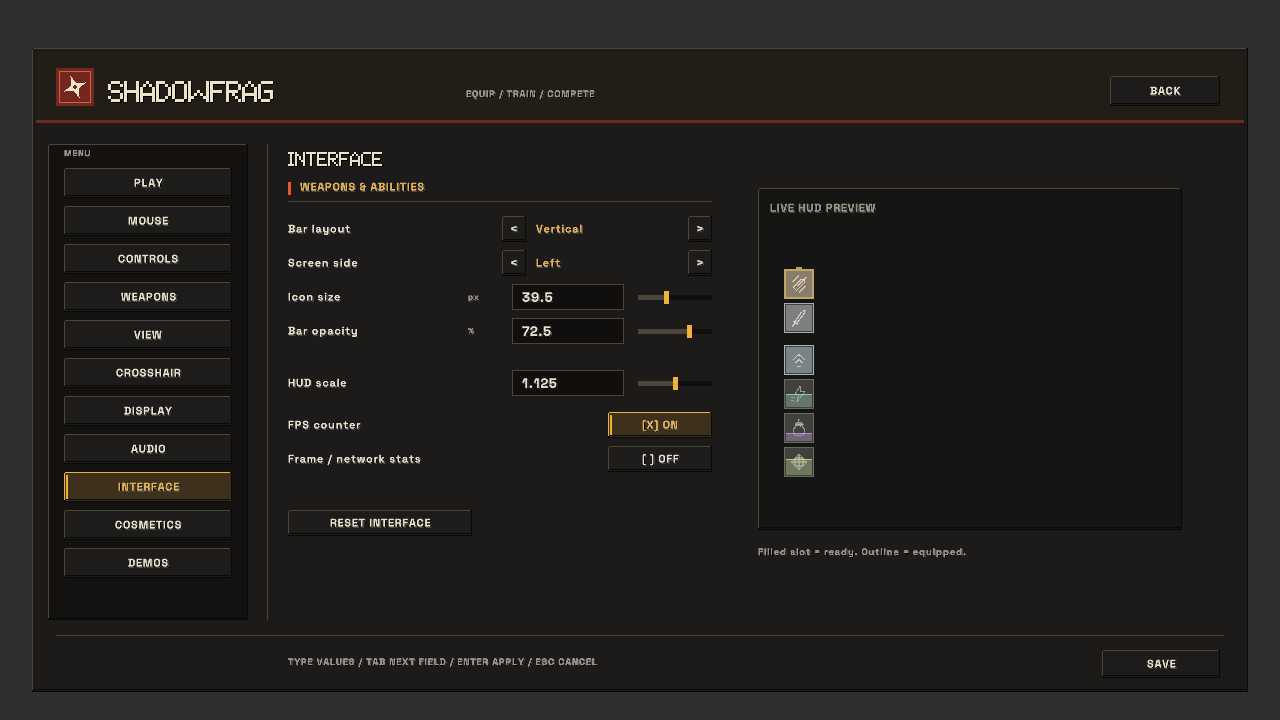
HUD layout, scaling and visibility have their own controls and preview.
Original PNGStill-image archive dates come from retained image file timestamps in Los Angeles time. An earlier-dated article may include later builds; each image is dated separately. Images are genuine engine or native-editor output. Download sources, transforms and SHA-256 hashes.